Skip to content
Back to projects

Product workflow

Capture → clarify → plan → focus → adjust

Tools and stack

What it demonstrates

  • Built connected task, calendar, focus, project, and settings surfaces in a Next.js App Router application.
  • Integrated Clerk identity with Supabase Postgres, Realtime, Storage, and row-level security.
  • Modeled persisted focus blocks and sessions so planned and completed work retain task and project context.
  • Handled rich task metadata, optimistic updates, realtime reconciliation, dates, timezones, reminders, and recurrence.
  • Added an optional authenticated AI Day Overview with bounded input and server-side validation.
  • Documented the MVP with source, ten screenshots, focused tests, and a reference schema baseline.

Problem and goal

Students often capture tasks, schedule work, and run focus sessions in separate tools. Stride explored one connected workflow where tasks could be clarified, scheduled into persisted focus blocks, completed in contextual focus sessions, and adjusted from the resulting task and focus context.

Project context

Stride was built as a full-stack portfolio MVP for students managing coursework, deadlines, projects, and study sessions. The repository does not establish a production user base, adoption, measured impact, or production-grade reliability.

Core product surfaces

  • Tasks. Inbox, Today, Upcoming, Anytime, Logbook, saved views, filters, bulk actions, and inline editing.
  • Capture and detail. Quick Add syntax plus descriptions, steps, attachments, comments, labels, dates, reminders, recurrence, estimates, and assignees.
  • Calendar. Day, week, and month planning with persisted, task-linked focus blocks and saved planner filters.
  • Focus. Focus and break timers with completed sessions persisted against available task, project, or planned-block context.
  • Projects and settings. Project catalog, list and board workspaces, sections, task movement, memberships, and workspace preferences.

Project outcome

Stride brings task capture, calendar planning, focus sessions, project organization, authentication, relational data, and realtime synchronization into one end-to-end MVP rather than presenting those capabilities as disconnected interface demos.

Architecture and data flow

Clerk protects non-public routes and supplies authenticated identity. Browser and server Supabase clients forward a Clerk access token, while Postgres row-level security remains the data-access boundary.

  • DataProvider loads profile preferences, accessible projects, and aggregate focus/task statistics.
  • useTaskDataset loads route-level tasks, planning blocks, labels, attachments, memberships, and focus context.
  • Client actions persist relational records to Supabase Postgres and binaries to Supabase Storage.
  • Realtime subscriptions reconcile task, planner, session, section, step, comment, and attachment changes alongside optimistic local updates.
  • A database RPC bootstraps the profile and default Inbox, with a client repair path for schema or environment drift.

Key technical decisions

Keep capture, planning, and execution on shared data

Scheduled blocks and focus sessions retain work context instead of becoming isolated calendar or timer records.

Use RLS as the authorization boundary

Clerk supplies identity while Supabase policies distinguish user-owned records from project-member access.

Persist planning blocks

Planning is modeled as durable focus blocks rather than transient calendar interface state.

Reconcile optimistic updates with Realtime

Several flows combine local updates, database responses, subscriptions, and explicit echo suppression.

Keep AI bounded and optional

The server route authenticates, limits, validates, and sanitizes its context rather than exposing a general client-side prompt.

Preserve a final schema reference

The final SQL reflects the remote schema but is not a guaranteed one-command rebuild or complete external-service setup.

Project screens follow the core product story from fast capture and structured task detail through calendar planning, focus execution, and project organization.

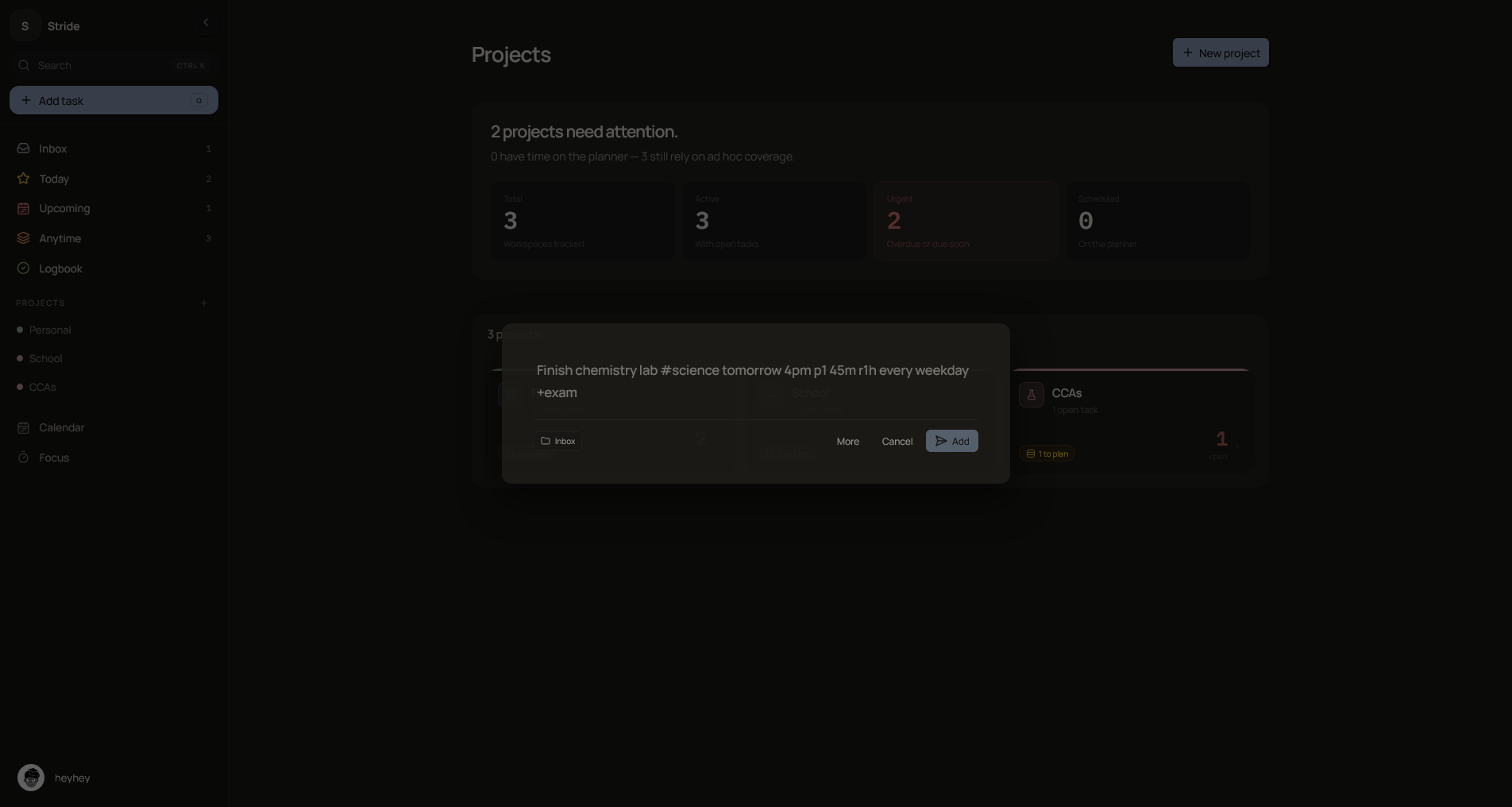
Quick Add
Stride Quick Add dialog for structured task capture

Quick Add supports project, deadline, priority, estimate, reminder, recurrence, and label syntax, with optional attachments.

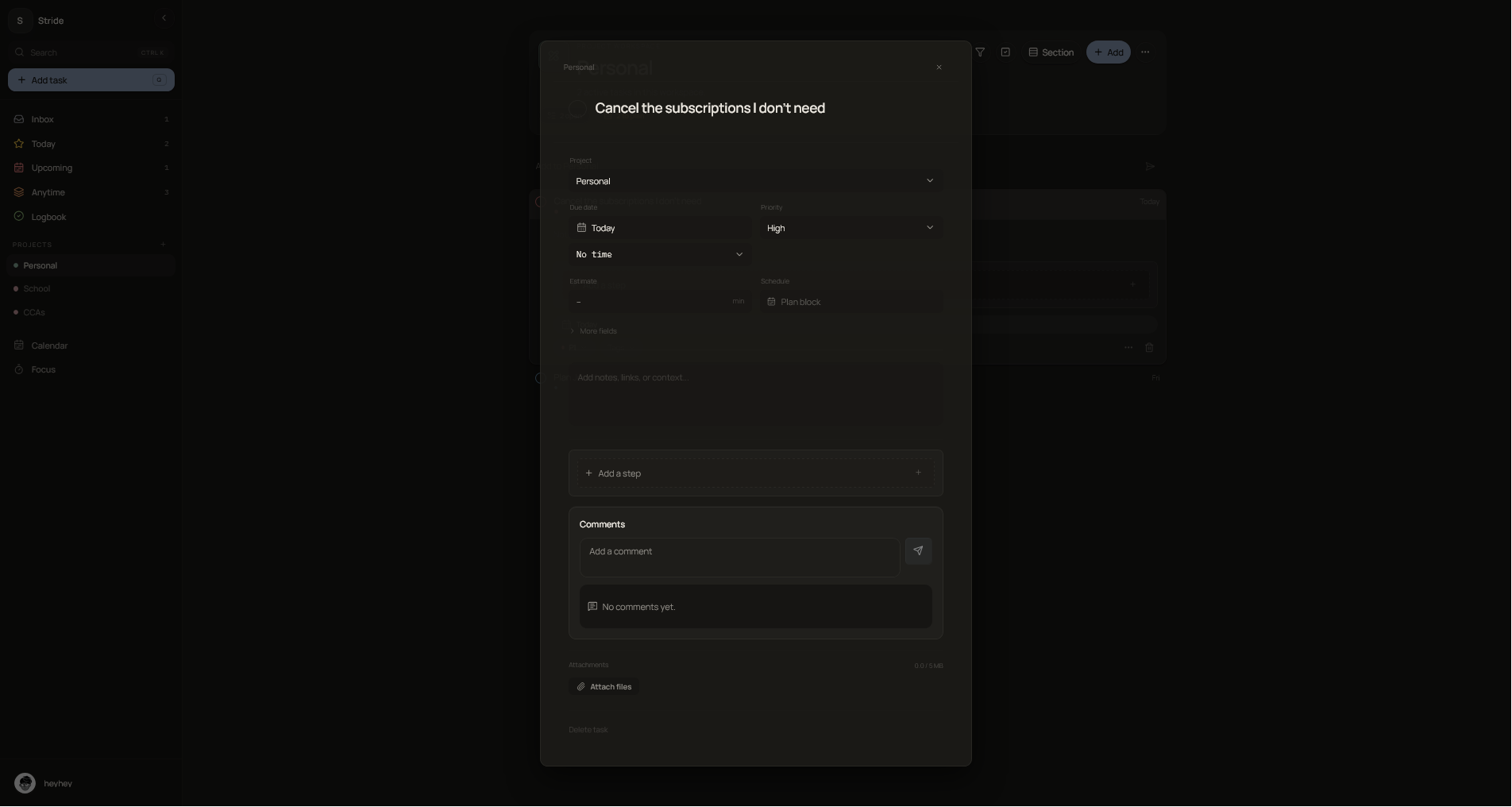
Task editor
Stride detailed task editor with structured task fields

The detail surface handles the broader task model without forcing every field into the main task list.

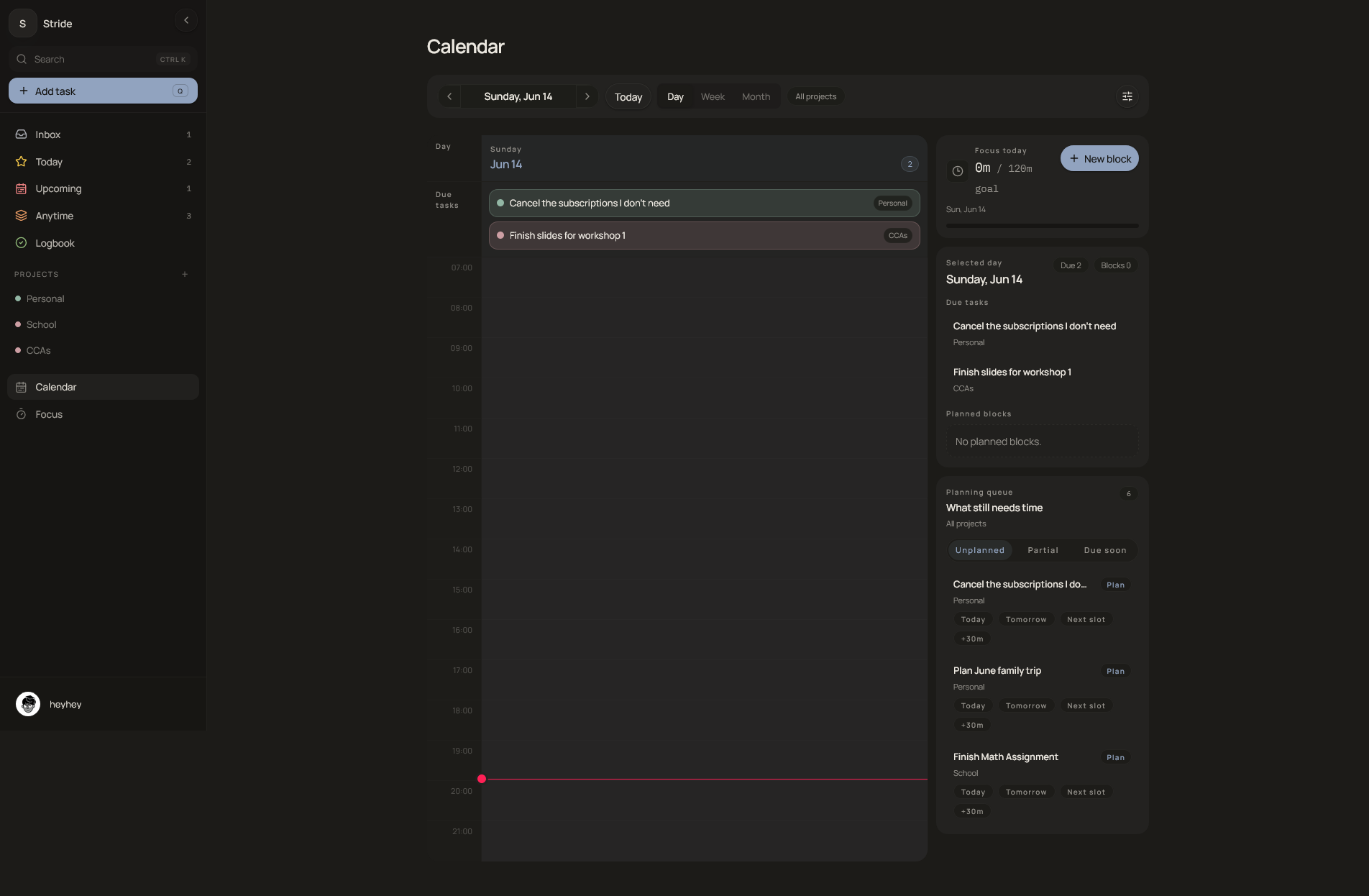
Calendar
Stride calendar planner with persisted focus blocks

Day, week, and month views place persisted planning blocks beside task context.

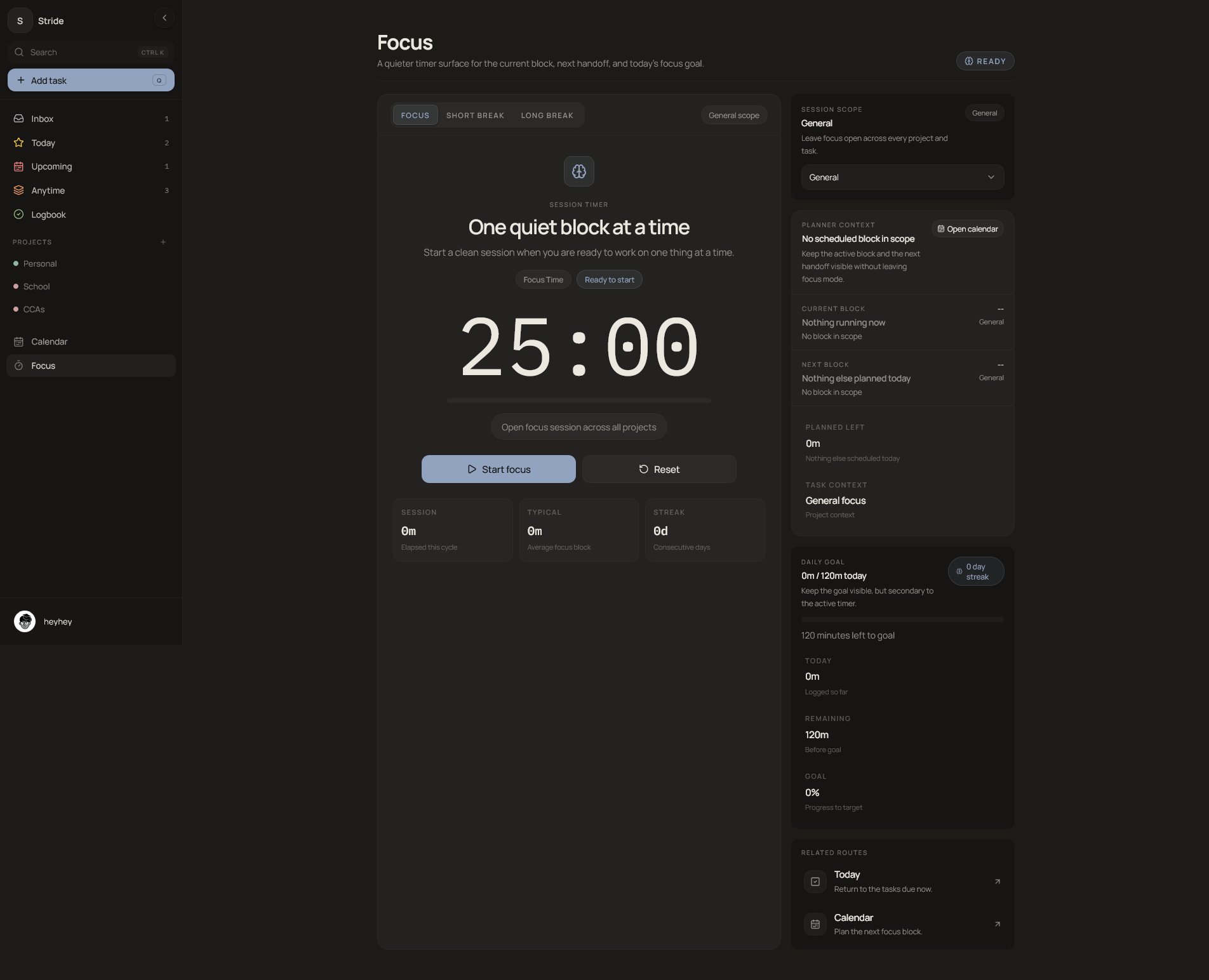
Focus
Stride focus timer connected to planned work

Focus and break modes persist completed sessions with available task, project, and planned-block context.

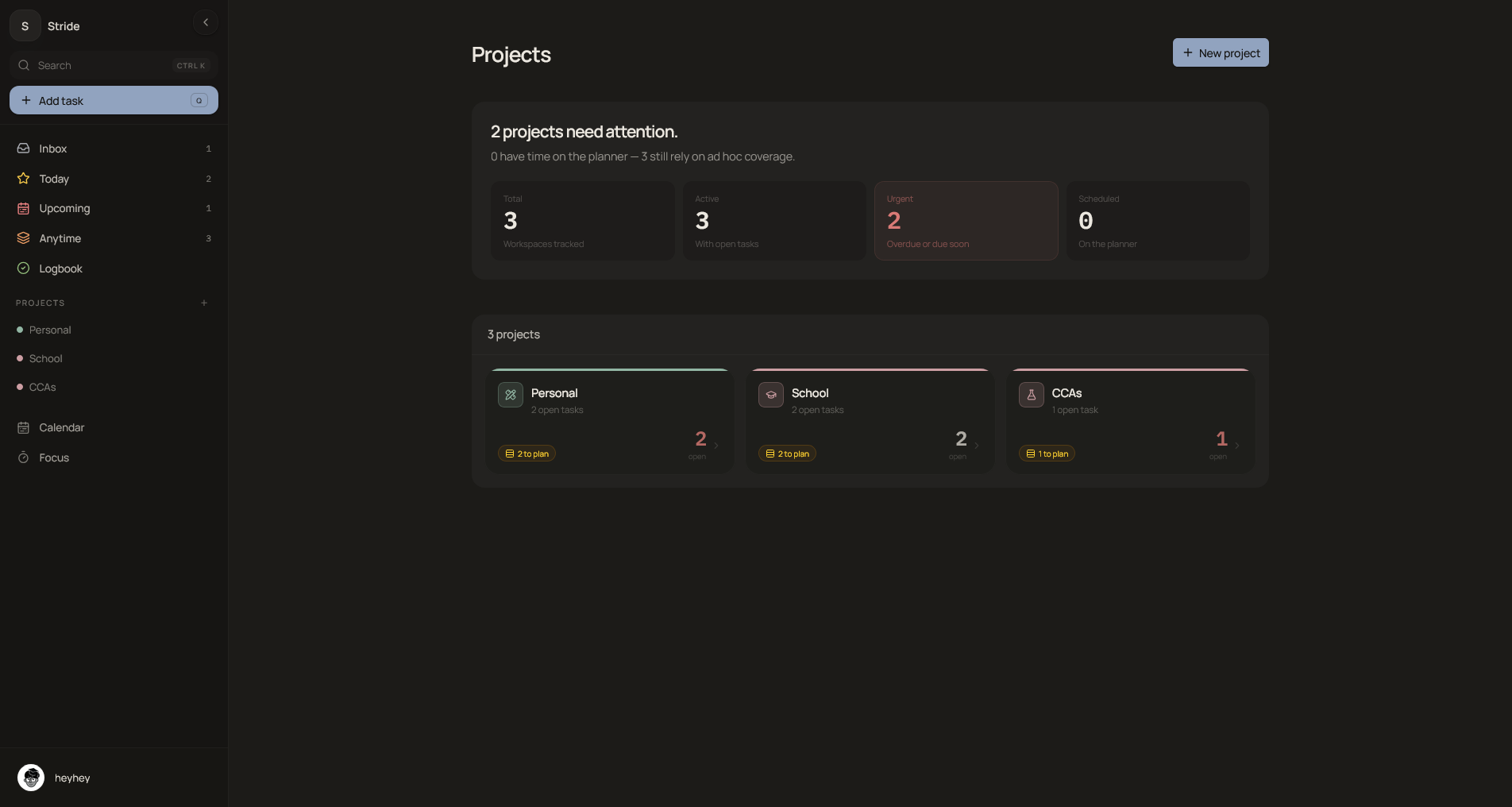
Project manager
Stride project catalog and project manager

The project catalog summarizes workspaces before moving into project-level task organization.

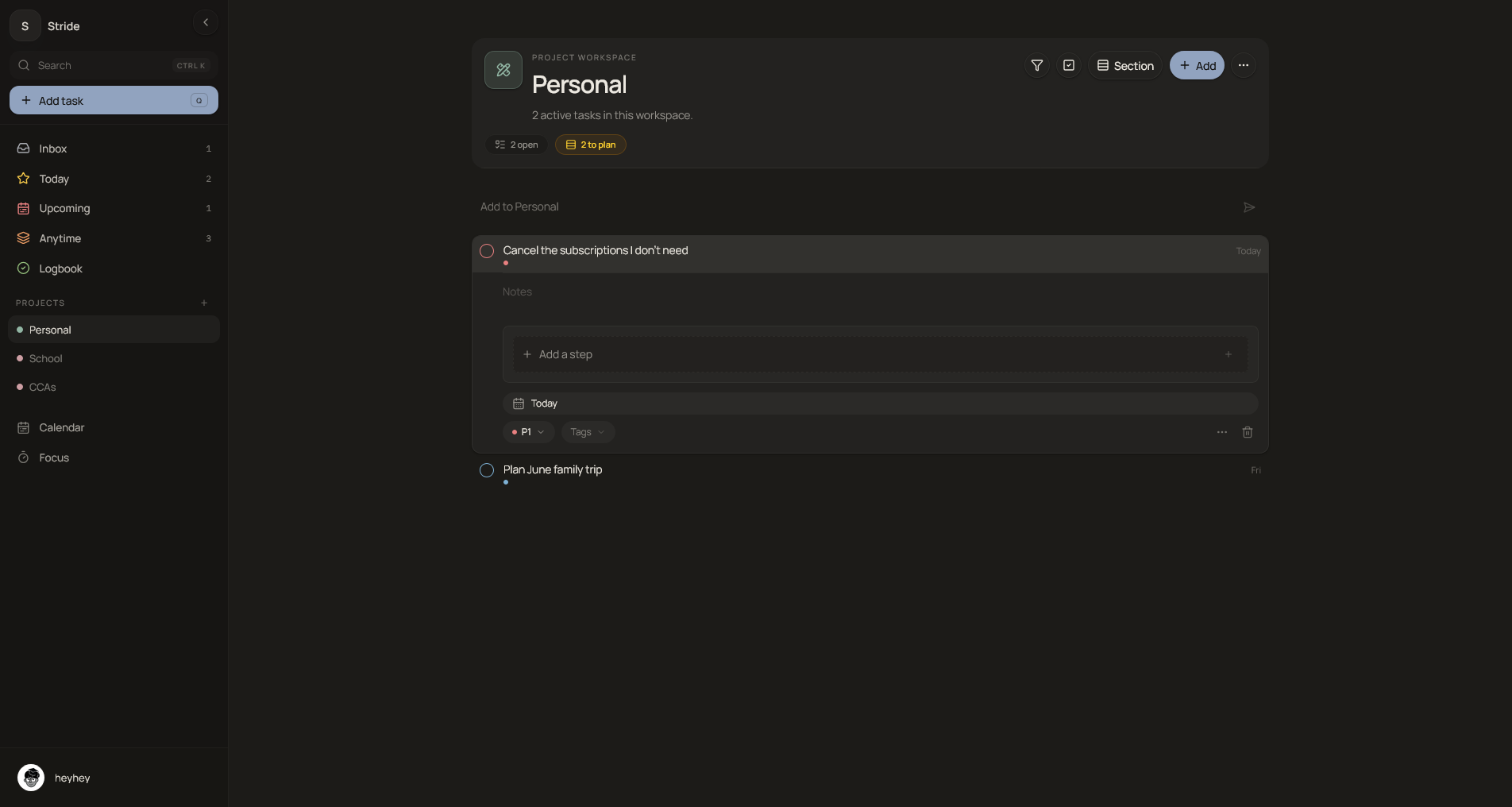
Project workspace
Stride individual project workspace with organized tasks

Project workspaces support list and board organization, sections, task movement, and collaboration foundations.

Constraints and limitations

Stride was built as a portfolio MVP, not a production SaaS. The final version demonstrates a connected task, planning, and focus workflow, but it depended on external services such as Clerk, Supabase, OpenAI, Sentry, Vercel, and PostHog being configured correctly.

  • Clerk. Provided authentication and route protection, with authenticated identity forwarded to Supabase through access tokens.
  • Supabase. Supplied Postgres persistence, row-level security, realtime subscriptions, and Storage for task attachments and profile avatars.
  • OpenAI. Powered the optional AI-assisted day overview through an authenticated, server-side Responses API route.
  • Sentry. Added error monitoring and observability; its default PII setting would require privacy, consent, and retention review before reuse.
  • Vercel. Supported deployment and Speed Insights for the original hosted application.
  • PostHog. Provided optional product analytics instrumentation during development.

The app included foundations for collaboration, realtime updates, file storage, and AI-assisted daily summaries. I would present those as implemented technical foundations, not as production-proven systems.

The archived repository is best understood as evidence of full-stack product engineering, workflow design, and system integration. If I continued the project, I would narrow the scope, improve end-to-end test coverage, simplify deployment setup, and validate collaboration flows with real multi-user usage.
What I learned

  • Connected product workflows require shared data semantics across capture, planning, and execution.
  • Clerk identity and Supabase authorization must align precisely at token and row-policy boundaries.
  • Date, timezone, recurrence, reminder, and planning logic become core architecture in productivity software.
  • Optimistic UI and realtime subscriptions need explicit reconciliation rather than assumed consistency.
  • Strong case studies separate implementation evidence from claims about users, impact, and production quality.